Casper
CASPER FOR COFFEE SHOPS

POS for coffee shopsin Lebanon

One system for the counter and the back office. Drinks with sizes and milk options, dollars and lira at your rate, and your stock, suppliers and profit, in Arabic or English.

Try Casper for 100 days, with every feature.
SEE IT AT THE COUNTER

What does a good coffee shop POS in Lebanon do?

Four jobs, shown on real Casper screens.

01 · DRINKS

Sizes and milk options, each with its price.

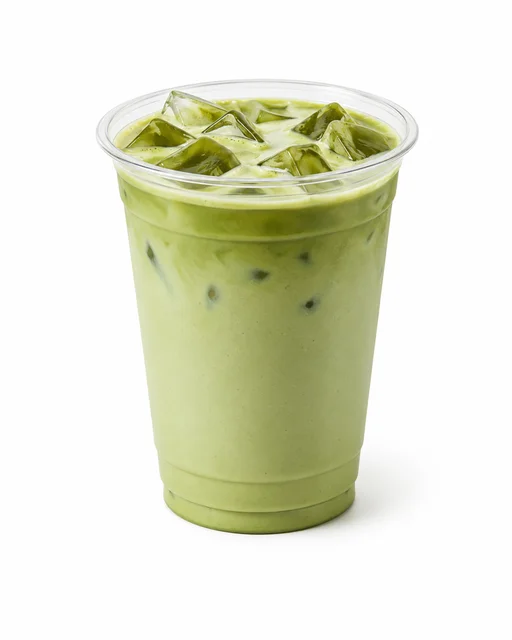
Set up a drink once with its sizes and milk options. At the counter, the cashier taps Matcha Latte, picks Large and oat milk, and the price adds up on its own.

  • Sizes like Regular and Large
  • Milk options like oat or almond, priced your way
  • Works the same on a tablet, laptop or phone
02 · DOLLARS AND LIRA

Dollars and lira, printed on your own printer.

Take US dollars, Lebanese lira or both at the rate you set. Casper shows the change in both currencies and prints the receipt, with your logo, on the receipt printer you already have.

  • Your rate, set by you
  • Split cash and card, or record Whish as its own payment method
  • 58 mm and 80 mm receipts, with your logo
03 · SUPPLIERS AND STOCK

Milk and bean orders, paid in installments.

Send purchase orders to your roaster and dairy supplier, receive them straight into stock and split what you owe into installments. Casper reminds you before each payment is due.

  • Deposits and payment schedules
  • Stock levels and low-stock alerts for beans, milk and cups
  • Every supplier balance in one place
04 · PROFIT

Your profit, after rent and the generator.

See sales, expenses and profit for today, this week or this month. Casper calculates profit on the real cost of each item, including rent, salaries and the generator.

  • Recurring expenses like rent and the generator
  • Sales in dollars and lira, added up correctly
  • No notebook or Excel sheet on the side
A DAY WITH CASPER

A day at a coffee shop in Lebanon, with Casper

From opening the shutter to closing the till, here is how a coffee shop runs on one system.

  1. 7:00OPEN

    Set today's rate

    Open Casper on the counter tablet and set the dollar rate once. Every sale in lira follows it all day.

    Rate89,500 LL / $Set byYou, at 7:02
  2. 8:00RUSH HOUR

    Keep the line moving

    Tap the drink, pick the size and milk, and take dollars, lira or card, record Whish as its own payment method, or split the bill.

    Order #48$15.25Paid$10 + LL 469,875
  3. 13:00DELIVERY

    Receive the milk order

    Receive the purchase order straight into stock and see what you owe the supplier and when.

    Beirut Dairy Co.$450Installment 2 of 3due in 3 days
  4. 19:00CLOSE

    See the day's profit

    Check sales, expenses and profit for the day, and see what is running low for tomorrow, before you lock up.

    Profit today$530.40Oat milk4 left · Low stock
SIDE BY SIDE

Notebook, old POS or Casper: which is best for a coffee shop in Lebanon?

What a coffee shop gets with each, side by side.

Coffee shop systems compared
Notebook and calculator Old POS Casper
Drink sizes and milk optionsWritten by hand on the orderOften one button for each drink and sizeOne drink with its sizes and milk options, each with its own price
Dollars and liraA calculator and the rate on a noteOften one currency, or manual conversionBoth in the same sale, at your rate
Beans, milk and cupsCounted by eyeSeparate tools or extra modulesStock levels and low-stock alerts, included
Supplier paymentsA notebookSeparate tools or extra modulesPurchase orders and installments, with reminders
Daily profitWorked out at month endOften sales totals onlyProfit after rent, salaries and the generator
POS machineNoneYou buy itNot needed, use your own devices
Setup and trainingNoneA technician visit and a training daySet it up yourself and sell the same day
Arabic and EnglishWhatever you write inOften one languageBoth, each person picks their own
How you payNothing to pay, and nothing is trackedPay before you startMonthly subscription after a 100-day free trial
1 / 9
START FROM WHERE YOU ARE

Switch your coffee shop from Excel or an old POS in one day

  1. 1

    Upload your menu from Excel

    Upload your drinks and products in one go, even with Arabic column names. Casper matches the columns for you.

  2. 2

    Pick “Coffee and tea shop”

    Casper sets up ready-made categories for a coffee shop, so you only add what is yours.

  3. 3

    Invite your team and sell

    Add your baristas with a role and a PIN, and make your first sale the same day.

IN ARABIC AND ENGLISH

Every barista in their own language.

Each person on your team can use Casper in Arabic or English. New cashiers sell on day one, without a training day, because Casper works like the apps on their phone.

  • العربية · English
POWER CUTS

Keep selling through a power cut.

Casper runs on a tablet, laptop or phone with a battery, and works on mobile data or a phone hotspot when the shop's internet is down. Casper apps with full offline mode come in Q1 2027.

  • Battery · Mobile data · Hotspot
FAQ

Questions about a POS for coffee shops in Lebanon

What is the best POS system for a coffee shop in Lebanon?

One that handles drinks with sizes and milk options, takes US dollars and Lebanese lira at the rate you set, and tracks your stock and suppliers. Casper does all of this in Arabic or English, on the laptop, tablet or phone you already have.

Can Casper handle drink sizes and milk options?

Yes. Set up sizes like Regular and Large, and milk options like oat or almond, each with its own price. The cashier picks them in a tap at checkout, and the total adds up on its own.

Can customers pay in dollars, lira, card or Whish?

Yes. Customers can pay in US dollars, Lebanese lira or both in the same sale, at the rate you set, and you can split a bill between cash and card. Add Whish as a custom payment method to record Whish payments at checkout.

How much does a POS system cost for a coffee shop in Lebanon?

A traditional POS is usually paid up front: the machine, an installation visit, a training day and a yearly maintenance fee. Casper runs on the devices you already have, with a monthly subscription and none of these costs. You can try it first for 100 days, with every feature included.

Can I move my menu from Excel or an old POS?

Yes. Upload your product list from Excel in one go, even with Arabic column names, and Casper matches the columns for you. Pick your shop type, invite your team and make your first sale the same day.

What happens during a power cut or when the internet goes down?

Casper needs an internet connection today. It runs on any laptop, tablet or phone with a battery, and works on mobile data or a phone hotspot when the shop's internet is down. Casper apps with full offline mode come in Q1 2027.

LIMITED TIME OFFER

Start your 100-day free trial today.

Try Casper for 100 days, with every feature, and start selling the same day.

Contact us

Tell us about your business and our team will reach out.

* Required