Casper
CASPER FOR CLOTHING STORES

POS for clothing storesin Lebanon

One system for the counter and the stockroom. Sizes and colours with their own barcode and stock, labels from your own printer, dollars and lira at your rate, and your suppliers and profit, in Arabic or English.

Try Casper for 100 days, with every feature.
SEE IT ON THE SHOP FLOOR

What does a good clothing store POS in Lebanon do?

Five jobs, shown on real Casper screens.

01 · SIZES AND COLOURS

Sizes and colours with separate prices and stock.

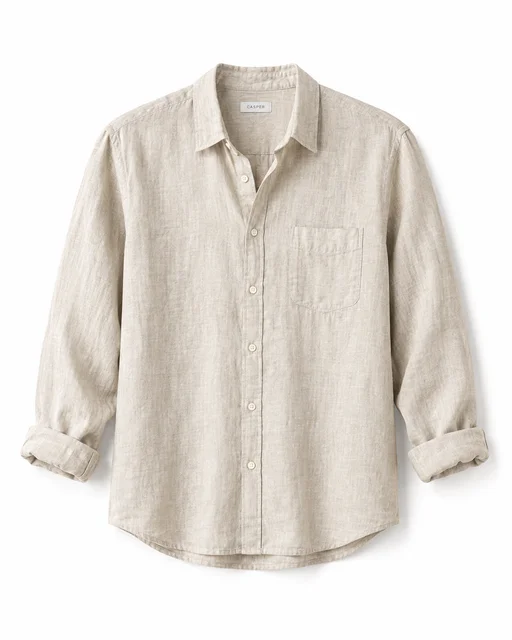
Add a shirt once, then its sizes and colours. Each one gets its own barcode, its own price if you want one, and its own stock, so you always know if a Medium in navy is on the shelf.

  • Size × colour variants under one product
  • A price for each variant, or one price for all
  • Stock counted per size and colour
02 · BARCODES AND LABELS

Scan barcodes and print on your own printer.

Print price tags with the name, size, barcode and price on the label printer you already have. At checkout, scan the tag and the right size and colour goes into the sale.

  • Barcode labels for every variant
  • Scan to add an item in one go
  • Create barcodes for items that come without one
03 · STOCK PER SIZE

Know which size will sell out next.

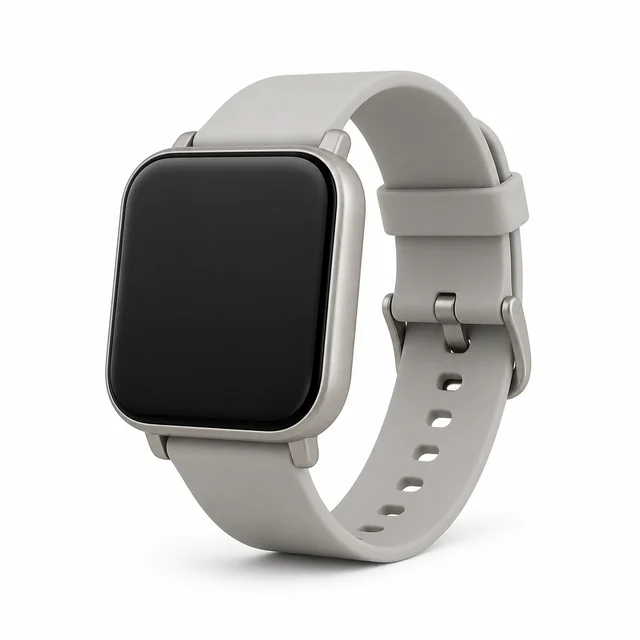
Every sale updates the stock of that exact size and colour. Get a low-stock alert before your best seller runs out, and record every count or damaged item with a reason. Items with a serial number, like watches, keep their serial on every movement.

  • Low-stock alerts per size and colour
  • Adjustments with a reason: counted, damaged, lost
  • Serial numbers for the items that need them
04 · NEW SEASON STOCK

New season stock, paid in installments.

Send purchase orders to your suppliers, receive the new collection straight into stock, and split what you owe into installments. Casper reminds you before each payment is due.

  • Deposits and payment schedules
  • Receive a delivery into stock in one step
  • Every supplier balance in one place
05 · PROFIT

Your profit, after rent and the generator.

See sales, expenses and profit for today, this week or this month. Casper calculates profit on the real cost of each item, including rent, salaries and the generator.

  • Recurring expenses like rent and the generator
  • Sales in dollars and lira, added up correctly
  • No notebook or Excel sheet on the side
A DAY WITH CASPER

A day at a clothing store in Lebanon, with Casper

From opening the shop to closing the till, here is how a boutique runs on one system.

  1. 10:00OPEN

    Set today's rate

    Open Casper on the laptop at the till and set the dollar rate once. Every sale in lira follows it all day.

    Rate89,500 LL / $Set byYou, at 10:02
  2. 12:00NEW STOCK

    Receive the new stock

    The summer delivery arrives. Receive the purchase order into stock, then print a barcode label for every size and colour.

    PO-1042 · Nour Textiles120 itemsLabels printed120 of 120
  3. 17:00BUSY HOUR

    Scan and sell

    Scan the tag, and the right size and colour goes into the sale. Take dollars, lira or card, record Whish as its own payment method, or split the bill.

    Order #1042$58.00Paid$40 + LL 1,611,000
  4. 20:00CLOSE

    See what sold, by size

    Check the day's sales and profit, and see which sizes sold out, so you know what to reorder before you lock up.

    Profit today$486.20Linen Shirt · M · Navy2 left · Low stock
SIDE BY SIDE

Notebook, old POS or Casper: which is best for a clothing store in Lebanon?

What a boutique gets with each, side by side.

Clothing store systems compared
Notebook and calculator Old POS Casper
Sizes and coloursA line for each size in the notebookOften one item per size, without coloursOne product with size × colour variants, each with its own stock and price
Price and barcode labelsHandwritten tagsOften a separate label programLabels with name, size, barcode and price, on your own printer
Stock per sizeCounted on the rackOften one total per itemStock for every size and colour, with low-stock alerts
New season ordersA notebookSeparate tools or extra modulesPurchase orders and installments, with reminders
Dollars and liraA calculator and the rate on a noteOften one currency, or manual conversionBoth in the same sale, at your rate
Daily profitWorked out at month endOften sales totals onlyProfit after rent, salaries and the generator
POS machineNoneYou buy itNot needed, use your own devices
Setup and trainingNoneA technician visit and a training daySet it up yourself and sell the same day
How you payNothing to pay, and nothing is trackedPay before you startMonthly subscription after a 100-day free trial
1 / 9
START FROM WHERE YOU ARE

Switch your clothing store from Excel or an old POS in one day

  1. 1

    Upload your stock from Excel

    Upload your product list in one go, even with Arabic column names. Casper matches the columns for you.

  2. 2

    Pick “Clothing store”

    Casper sets up ready-made categories for a clothing store, so you only add what is yours.

  3. 3

    Print labels and sell

    Print barcode labels for the rack, add your staff with a role and a PIN, and make your first sale the same day.

IN ARABIC AND ENGLISH

Every salesperson in their own language.

Each person on your team can use Casper in Arabic or English. New cashiers sell on day one, without a training day, because Casper works like the apps on their phone.

  • العربية · English
POWER CUTS

Keep selling through a power cut.

Casper runs on a tablet, laptop or phone with a battery, and works on mobile data or a phone hotspot when the shop's internet is down. Casper apps with full offline mode come in Q1 2027.

  • Battery · Mobile data · Hotspot
FAQ

Questions about a POS for clothing stores in Lebanon

What is the best POS system for a clothing store in Lebanon?

One that keeps stock for every size and colour, prints barcode labels, takes US dollars and Lebanese lira at the rate you set, and tracks your suppliers. Casper does all of this in Arabic or English, on the laptop, tablet or phone you already have.

Can Casper track stock by size and colour?

Yes. Add a product once with its sizes and colours. Each variant has its own barcode, price and stock, and Casper alerts you before a size runs out.

Can customers pay in dollars, lira, card or Whish?

Yes. Customers can pay in US dollars, Lebanese lira or both in the same sale, at the rate you set, and you can split a bill between cash and card. Add Whish as a custom payment method to record Whish payments at checkout.

How much does a POS system cost for a clothing store in Lebanon?

A traditional POS is usually paid up front: the machine, an installation visit, a training day and a yearly maintenance fee. Casper runs on the devices you already have, with a monthly subscription and none of these costs. You can try it first for 100 days, with every feature included.

Can I print price tags and scan barcodes?

Yes. Print labels with the name, size, barcode and price on your own label printer, and scan them at checkout to add the right size and colour to the sale. Casper can also create barcodes for items that come without one.

What happens during a power cut or when the internet goes down?

Casper needs an internet connection today. It runs on any laptop, tablet or phone with a battery, and works on mobile data or a phone hotspot when the shop's internet is down. Casper apps with full offline mode come in Q1 2027.

LIMITED TIME OFFER

Start your 100-day free trial today.

Try Casper for 100 days, with every feature, and start selling the same day.

Contact us

Tell us about your business and our team will reach out.

* Required